GeekWorm x306 Raspberry Pi Zero UPS
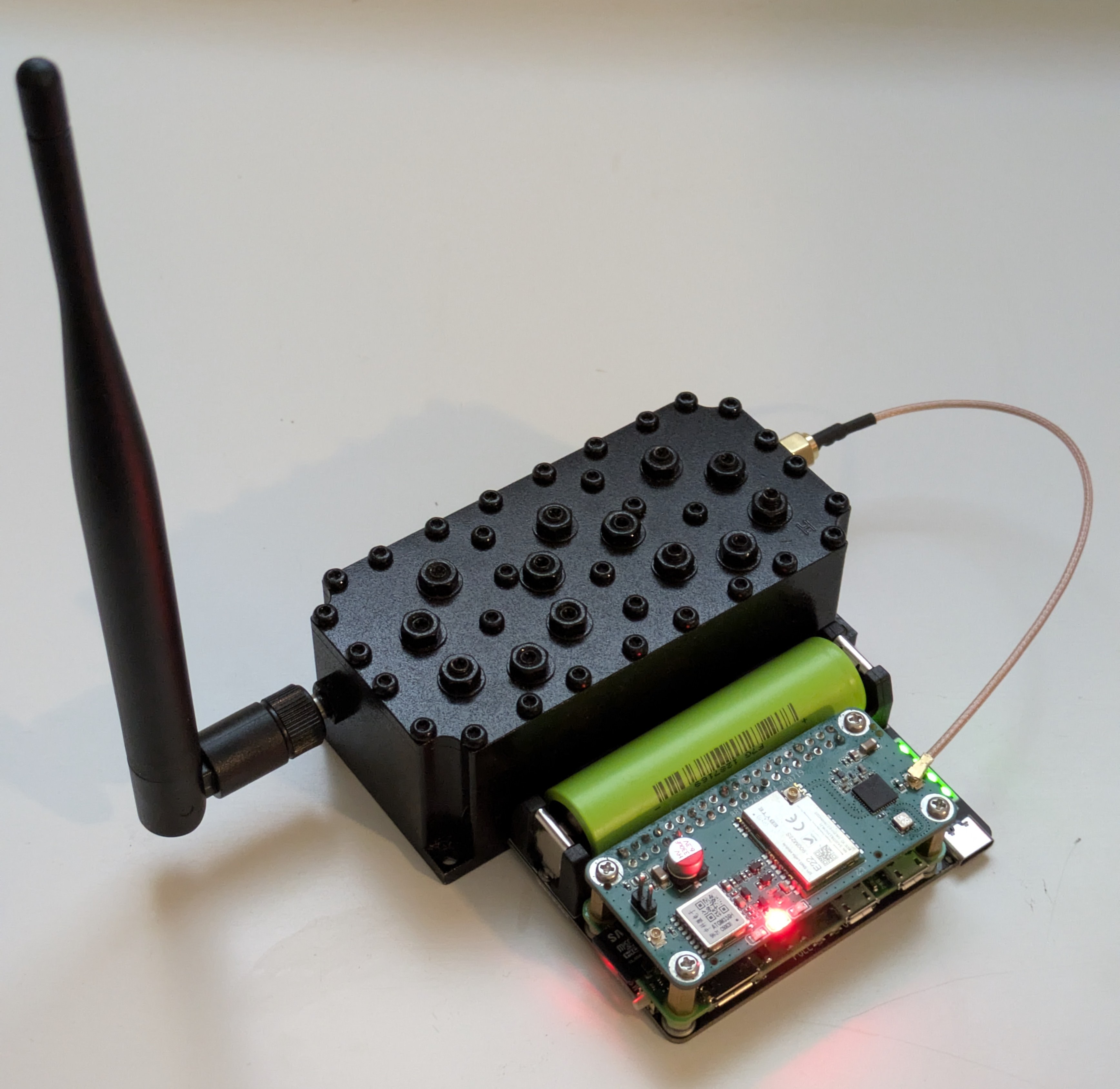
I picked up the GeekWorm x306 in the spring of 2026 to add to my Pi Zero W 2 Meshtastic build. The idea was to have a node that had access to main power but could survive for several hours should the power go out.
The installation was quick and easy. I had to pickup a new 18650 cell from my local battery store, but that was the only "configuration" I had to do besides installing a few standoffs on the pi.
My one gripe with the x306 so far is that there really isn't a way for the pi to know what the voltage of the battery is. It basically just runs until the hat cuts off the flow of energy when the voltage gets too low. I have some ideas on how to monitor the voltage, but I haven't implemented that yet. Definitely not an ideal setup because pis really should have a clean shutdown if at all possible. Pulling out the power rug from underneath a Raspberry Pi is a great way to get corrupted file systems.
Estimated Run Times
Below is a table with estimated runtimes under a few scenarios assuming the following:
- Battery: 2500 mAh 18650
- Nominal voltage: 3.7 V
- Boost converter efficiency: 85%
- Usable energy: ≈ 2.5 Ah × 3.7 V × 0.85 = 7.86 Wh
| Scenario | Approx. Pi Zero 2 W Power Draw | Estimated Runtime |
|---|---|---|
| Deep idle, Wi-Fi off | 0.5 W | ~15.7 hours |
| Idle, Wi-Fi on | 0.75 W | ~10.5 hours |
| Light server / sensor logging | 1.0 W | ~7.9 hours |
| Typical active use | 1.4 W | ~5.6 hours |
| Moderate CPU load | 2.0 W | ~3.9 hours |
| Heavy CPU load | 3.0 W | ~2.6 hours |
The Meshtasticd docker container is typically pretty lean on CPU usage although I have seen RAM usage upwards of 50%. I'm hypothesizing that if we run the Pi Zero W 2 off of a single 18650 battery with a capacity of 2,500 mAh, then we should get 6 to 8 hours worth of runtime. We'll see how that goes in the next phase.
Testing Methodology
I went for a "let it run till it don't run no more" testing methodology. I set up the pi to broadcast a heartbeat with the timestamp, CPU usage, and RAM usage every 15 minutes via a cron job to simulate normal mesh usage and keep me in the loop as to when to check on the pi. I also dumped this data to a CSV file for easy number crunching. And don't worry, I transmitted all of this over a private primary channel with hops set to 0 to not bombard the mesh at large.
Below is the bash script that I ran.
#!/bin/bash

HOME_DIR="$HOME"

timestamp="$(date '+%Y-%m-%d %H:%M:%S')"
cpu="$(top -bn1 | awk '/Cpu\(s\)/ {print 100-$8}')"
ram="$(free | awk '/Mem:/ {print $3/$2*100}')"

status="$(printf "%s | CPU: %.1f%% | RAM: %.1f%%" \
  "$timestamp" \
  "$cpu" \
  "$ram")"

# CSV file location
csv_file="${HOME_DIR}/data.csv"

# Create header if file doesn't exist
if [ ! -f "$csv_file" ]; then
    echo "timestamp,cpu_percent,ram_percent" > "$csv_file"
fi

# Append data row
printf "%s,%.1f,%.1f\n" \
  "$timestamp" \
  "$cpu" \
  "$ram" >> "$csv_file"

echo "$status"

# assuming pipx installation of meshtastic CLI
"${HOME_DIR}/.local/bin/meshtastic" --sendtext "$status" --ack
Results
I ran my test 3 times to get a basic idea of running time. For each test I charged the 18650 to 100%, marked the time at which I disconnected the battery, and then waited. Below is a summarization of those 3 tests with all of the data averaged.
| Test | Avg CPU | Avg RAM | Run Time |
|---|---|---|---|
| 1 | 8.02% | 48.61% | 10h 57m |
| 2 | 6.83% | 49.65% | 12h 15m |
| 3 | 7.13% | 50.51% | 12h 15m |
| AVERAGES | 7.33% | 49.59% | 11h 48m |
Based on the tests, it appears that my battery run time hypothesis was on the conservative side. All of my tests exceeded my hypothesized run time by nearly 2 hours, which was a pleasant surprise.
It is important to note that this node was not in a high-traffic location (5-10% channel usage on average) and was not running a node role that often uses higher power draw such as ROUTER or ROUTER-LATE. Nodes with more transmitting air-time will likely see a diminished battery run time compared to what I saw in my tests.
Conclusions
The GeekWorm x306 exceeded my expectations for how long it could provide power to a Raspberry Pi Zero W2 running Meshtasticd. I personally believe that this would make a great CLIENT-BASE or ROUTER setup for those who don't have access to a power over ethernet switch with a large UPS at their disposal.
Solar Update
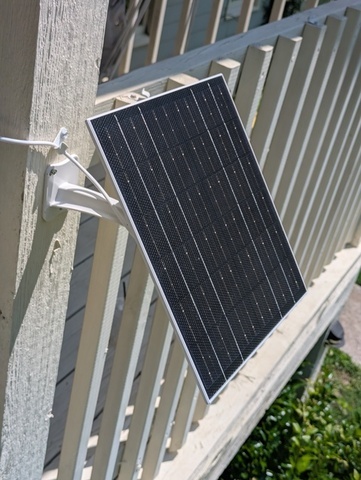
I ran a quick experiment as a follow-up to see if we could run the Pi Zero W 2 on 100% solar power using a 10-watt panel I got from Amazon.
The bad news is that the single 18650 battery was insufficient to keep the Pi Zero running throughout the night. It would consistently cut out in the early hours of the morning before sunrise. Based on what run time I saw, we would need at least 5,000 mAh to have the pi run through the night with consistent sunshine. Bumping that up to 10,000 mAh would add "rainy day" or wintertime endurance.
I could probably modify some settings in the Pi to reduce power usage, but turning WiFi off isn't really something I'd be willing to do. The whole benefit of having a Raspberry Pi is to allow for remote management. Turning that off would take away the #1 reason for even having this setup. Might as well use a RAK Wireless at that point.