MeshDeck
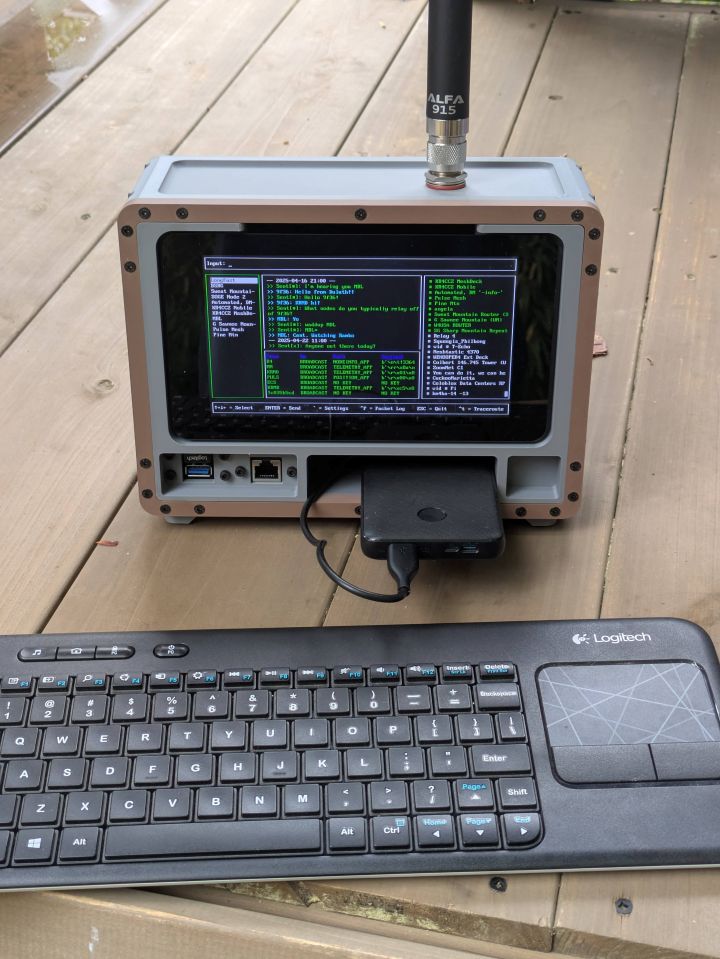
Background
I've been following a designer named Jay Doscher for years after discovering a build he did on Reddit years ago, specifically the Raspberry Pi Recovery Kit. The build was incredibly well thought-out and his attention to detail was something I truly admired. Ever since then, I've always wanted to build one of my own, I just never had a clear reason (or the funds) to build one besides "because it sounds fun."
Fast-forward to now. I had a real need to have a completely mobile and self-sufficient Meshtastic device that would allow me to troubleshoot on the fly. I finally saw my moment and started designing my kit.
Design Modifications
The design process was minimal. I simply took the Quick Kit Case design from Jay Doscher and modeled up a quick Type N connector cut-out for the top of the case using Tinkercad. That's literally the only modification I made to his designs.
I'm unable to post the entire design here as it would be a breach of the license agreement, but here is the modified lid of the Quick Kit Case that has a cutout for an N Type connector.
I then had a work buddy print the models for me on his Bambu 3D printer using 2 spools of Basic Matte PLA Filament.
Hardware
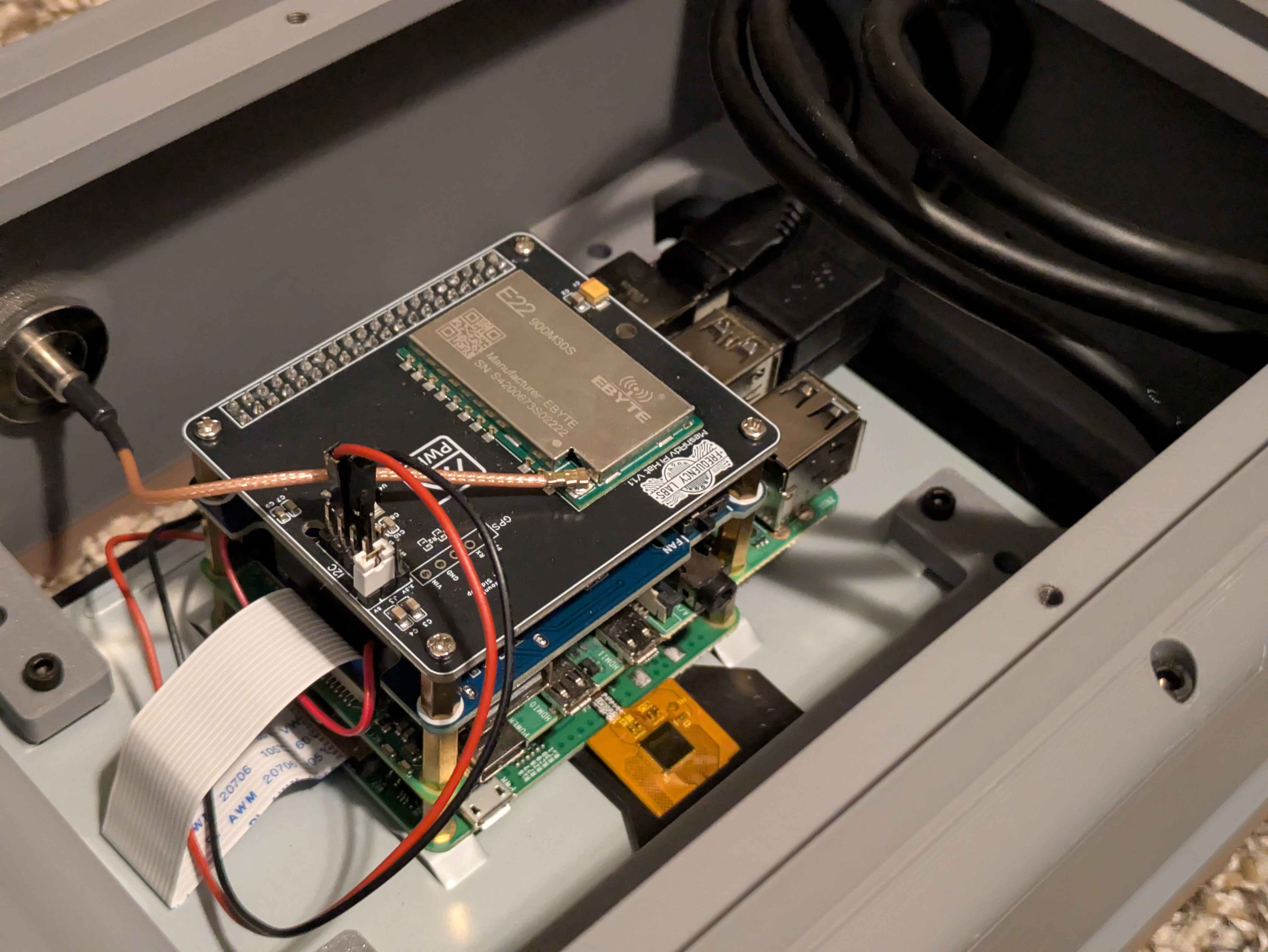
Most of the hardware for the MeshDeck is pretty easy to come by, except for the MeshAdv PiHat. The hat itself is open source and you can get the full details on GitHub, but last I checked it was sold out on Etsy. There are other hardware providers out there including wehooper4 as well. I have several of Hooper's hats and I can absolutely recommend them.
If I were to build this from scratch all over again, I would use a Raspberry Pi 5 with a dedicated POE / NVMe hat for more reliable and faster storage. I would also incorporate GPS as well. Not totally necessary, but might as well toss it in while you're at it.
- Raspberry Pi 4
- Waveshare PoE HAT
- MeshAdv PiHat v1.1
- Raspberry Pi 7" Touch Screen
- USB Panel Mount Extensions
- M3 Hex Screws Pack
- M3 x 12mm Countersunk Screws
- RJ45 Panel Mount Extension
- ALFA 5 dbi Omni Outdoor 915MHz
Practical Uses
Something I've found incredibly useful for the-in-field work is the ability to create an ad-hoc hotspot WiFi network on the Raspberry Pi 4. I followed this guide from Raspberry Pi to get it working. I just didn't setup the flask server.
The story goes that I had a situation where I needed to configure a Pi Zero W 2 meshtastic node without access to a screen or keyboard. I configured the Pi Zero to auto-connect to the MeshDeck ad-hoc wifi network when I initialized the image. When I arrived on-site to setup the Pi Zero, I turned the MeshDeck on, waited for the wifi network to spin up, then I turned on the Pi Zero. Then I ran a quick nmap scan to see devices on my ad-hoc network subnet. Once everything was connected together, I remoted into the Pi Zero using ssh and finalized the node configuration for the new setup.